

Download iOS 18 – Apple Intelligence, AI features, iPhone update, mobile OS
Overview
iOS 18, Apple’s highly anticipated operating system update for 2024, marks a pivotal evolution in the iPhone experience. Designed to be one of the most significant updates in recent history, iOS 18 introduces a suite of advanced features centered around artificial intelligence, enhanced personalization, and system-wide improvements. The update is expected to launch in September 2024 at Apple’s Worldwide Developers Conference (WWDC), building on the foundation laid by iOS 17. It aims to deliver a more intuitive, responsive, and intelligent user interface across all supported devices. The primary purpose of iOS 18 is to elevate productivity, streamline communication, and empower users with smarter tools through AI integration.
Target users include iPhone owners seeking enhanced customization, improved messaging capabilities, and smarter digital assistants. The update addresses long-standing user requests such as RCS support for cross-platform messaging, improved password management, and deeper app personalization. Real-world use cases range from scheduling messages in advance, organizing photos by topic, to leveraging AI-powered writing tools in Notes and Mail. These features collectively aim to reduce digital clutter and improve daily efficiency.
Developed by Apple Inc., the update continues the company’s tradition of tightly integrated software and hardware innovation. Although the developer did not provide additional technical details, the focus on stability and bug fixes suggests a mature release cycle. With compatibility expected across all devices currently running iOS 17, iOS 18 is positioned to deliver a seamless upgrade path for a broad user base. Its importance in the app ecosystem lies in setting a new benchmark for AI-driven mobile operating systems, influencing future software development across platforms.
Key Features & Functionality
iOS 18 redefines the iPhone experience with a suite of AI-powered innovations and usability enhancements. At the core is Apple Intelligence, a system-wide intelligence layer that integrates into key apps and services. Siri, now leveraging large language model technology, offers more contextual understanding and natural conversation flow. Users can expect improved voice recognition, proactive suggestions, and deeper integration with third-party apps.
- AI-Powered Writing Tools: Available across Mail, Notes, Pages, and select third-party apps, these tools allow users to proofread, rewrite, or summarize text with a single tap. This enhances productivity for students, professionals, and casual users alike.
- Smart Photo Cleanup: A machine learning-driven feature that removes unwanted objects from photos while preserving background integrity. Ideal for capturing clean, distraction-free memories.
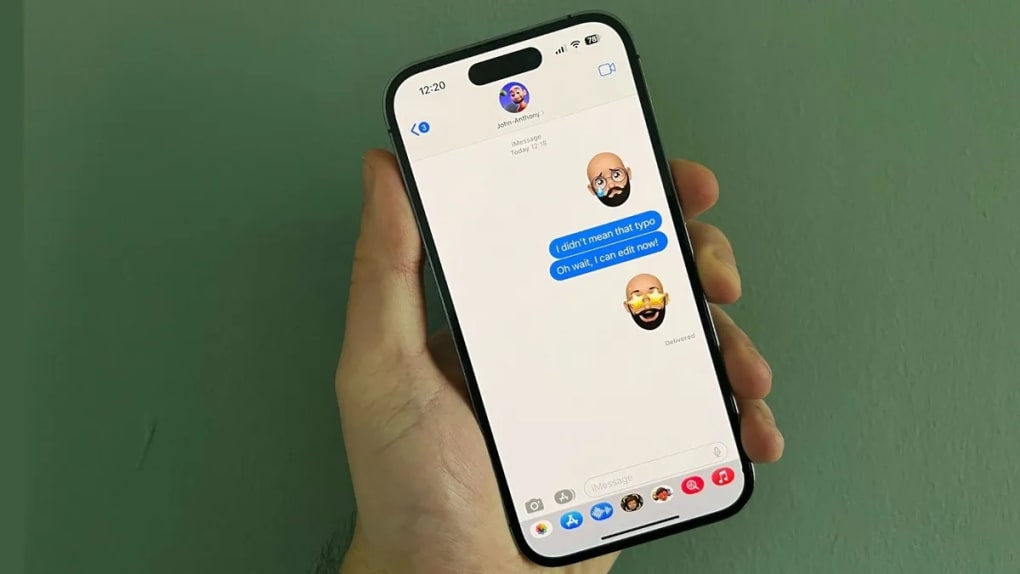
- Messages with Dynamic Effects: Beyond standard formatting, users can now apply animated text effects and playful emoji reactions. Suggestions appear contextually as you type, adding a fun yet functional layer to conversations.
- Send Later & Pinned Collections: Schedule messages for future delivery, ensuring timely communication. Pinned Collections offer instant access to essential albums or documents, streamlining content retrieval.
- Primary Category & Message Grouping: Automatically sorts time-sensitive messages and emails into a dedicated section, reducing inbox clutter and improving focus on urgent communications.
- Conversation Recording & Summarization: With user consent, calls can be recorded and transcribed, followed by automated summaries—ideal for meetings, interviews, or personal notes.
These features are designed to enhance both efficiency and enjoyment, transforming everyday tasks into smoother, more intuitive experiences. The integration of AI into core workflows demonstrates Apple’s commitment to creating a more responsive and personalized operating system.
Interface, UX & Performance
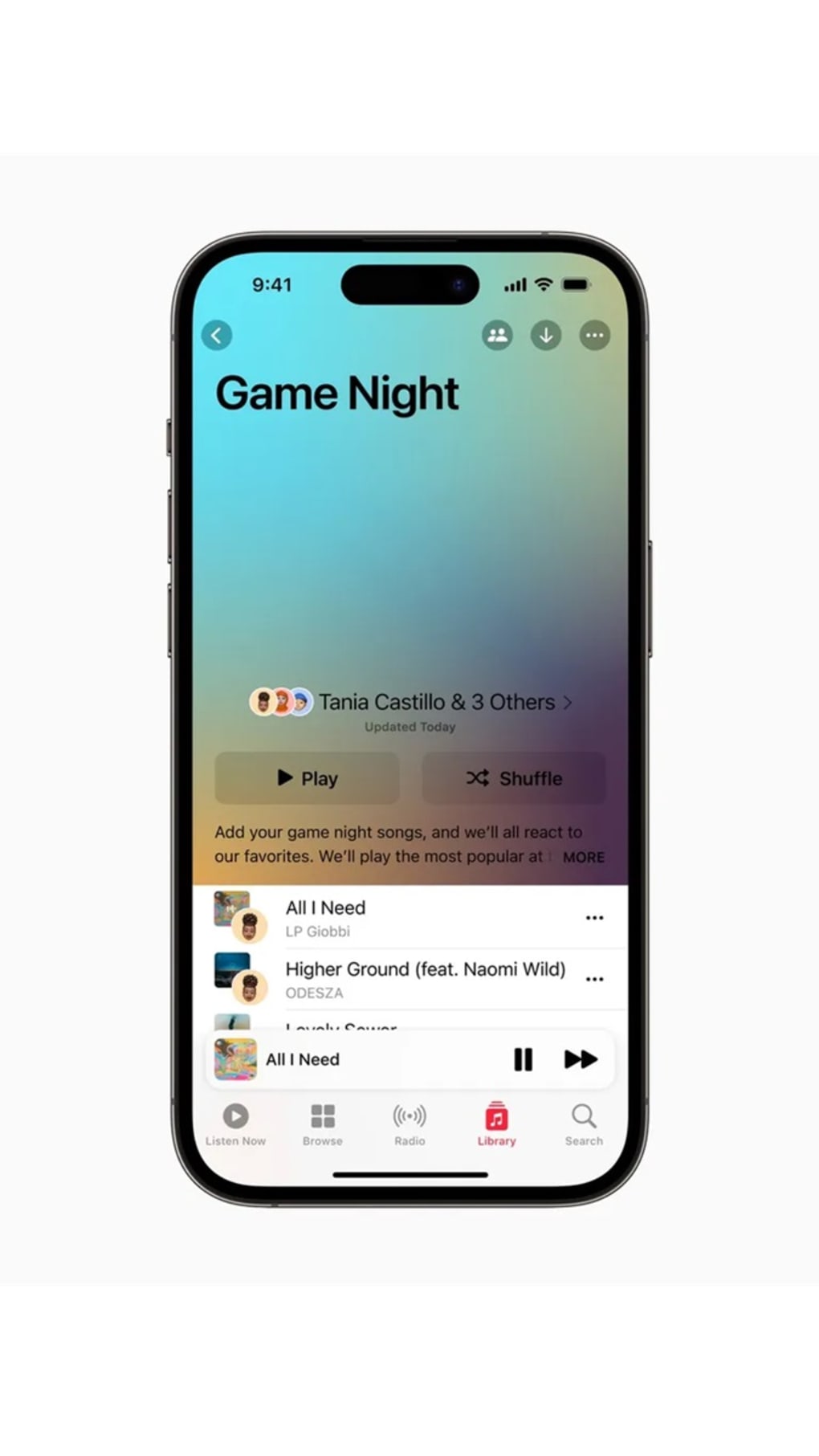
The user interface of iOS 18 reflects a refined aesthetic with a focus on clarity, accessibility, and personalization. The redesigned Settings app features a more intuitive layout, simplifying navigation and reducing the number of taps required to access key functions. The Control Center has also undergone a visual and functional overhaul, with enhanced HomeKit integration and improved music controls for seamless device management.
Home Screen customization is significantly expanded, allowing users to personalize their lock screens and app layouts with greater flexibility. The Photos app introduces topic-based library organization—such as Recent Days, Trips, and People & Pets—making it easier to find memories without manual sorting. These changes reflect a user-centered design philosophy that prioritizes discoverability and ease of use.
Although the developer did not list formal performance metrics, the emphasis on stability and bug fixes suggests a polished user experience. Responsiveness is expected to be consistent across device categories, with optimizations likely tailored to both older and newer iPhone models. The system is designed to maintain smooth operation even under heavy multitasking or AI processing loads.
Stability appears to be a key focus, with Apple prioritizing a reliable foundation before introducing advanced features. While real-world performance data is not available, the general trend indicates improved system efficiency and reduced lag during daily use.
Platform Compatibility & Technical Requirements
iOS 18 is designed to run on all devices currently supported by iOS 17, ensuring broad accessibility for iPhone users. The update is available for iPhone models compatible with the previous version, allowing for a seamless upgrade path without requiring new hardware.
The app size is 2.8 GB, which reflects the inclusion of AI models, system enhancements, and updated app frameworks. The file size may vary slightly depending on device storage and background processes. The software version is 18.0, and the operating system is iOS.
The developer did not specify minimum OS requirements or detailed hardware specifications. Compatibility information was not fully disclosed, but the update is expected to function across a wide range of supported devices. Users should ensure sufficient storage space before installation.
Pros and Cons
Pros
- Comprehensive AI integration across core apps, enhancing productivity and creativity.
- Significant improvements in messaging, including scheduled sending and animated effects.
- Enhanced photo editing with AI-powered cleanup tools.
- Greater customization options for Home Screen and Settings.
- Improved organization of messages, emails, and media through intelligent categorization.
- Free to download and install, with no cost for the core update.
Cons
- Advanced AI features may require the latest iPhone models, limiting access for older devices.
- Some functionalities, such as conversation recording, depend on user consent and may raise privacy concerns.
- High file size (2.8 GB) may impact devices with limited storage.
- Compatibility with third-party apps is not guaranteed, especially for AI features.
- Specific performance benchmarks were not disclosed by the developer.
FAQ
Is iOS 18 free to download?
Yes, iOS 18 is available at no cost to all eligible iPhone users. The update is distributed through the standard software update channel in the Settings app.
Which iPhone models are compatible with iOS 18?
iOS 18 is expected to support all devices currently compatible with iOS 17. However, advanced AI features may be restricted to newer iPhone models.
Can I install iOS 18 on my older iPhone?
Yes, if your iPhone model is supported by iOS 17, it should be eligible for the iOS 18 update. However, certain AI-powered features may not be available on older hardware.
Does iOS 18 require a large amount of storage?
Yes, the update has a file size of 2.8 GB. Users should ensure sufficient free space before installation to avoid errors.
Are the AI features in iOS 18 secure?
Apple emphasizes privacy and security in all its AI implementations. Features like conversation recording require explicit user consent and are processed locally on-device when possible.
Final Thoughts
iOS 18 represents a major leap forward in mobile operating system innovation, combining powerful AI capabilities with thoughtful design and usability enhancements. It delivers a smarter, more personalized, and efficient experience for iPhone users across the board. While some advanced features may be limited to newer devices, the core improvements in messaging, organization, and system performance benefit all users.
For professionals, students, and everyday users alike, iOS 18 offers tangible value through AI-driven productivity tools, smarter communication features, and intuitive interface upgrades. The integration of Apple Intelligence into daily workflows sets a new standard for what a mobile OS can achieve.
With its focus on stability, customization, and user empowerment, iOS 18 is not just an update—it’s a transformation. Download iOS 18 now and experience the future of iPhone software.







